




 In stock
Prusa Research · authorised UK reseller
Prusa CORE One+ (Gen 2)
 1 / 14
£1,179inc. VAT
SKU PRUSA-PRUSA-CORE-ONE-Assembled
Order before 3pm for same-day processing. Tracked delivery, [CONFIRM TYPICAL DELIVERY WINDOW] to your door.
Make it yours
Choose your options. The price updates as you go.
1
55 °C
controlled chamber
14.8 L
build volume
290 °C
maximum nozzle temperature
FDM
printing technology
A closer look
Prusa CORE One+ (Gen 2) · Product information from Prusa Research.
Explore product details (7)
Prusa CORE One+
The 3D printer for your next project.
Your first 3D print starts 10 minutes after unpacking. CORE One+ is our versatile and reliable workhorse, ready to print anything from replacement parts and creative projects to professional prototypes. Plug-and-print design, over 200 ready-to-use material profiles, more than a million free models on Printables.com. Designed and built in the EU and USA.
NEW
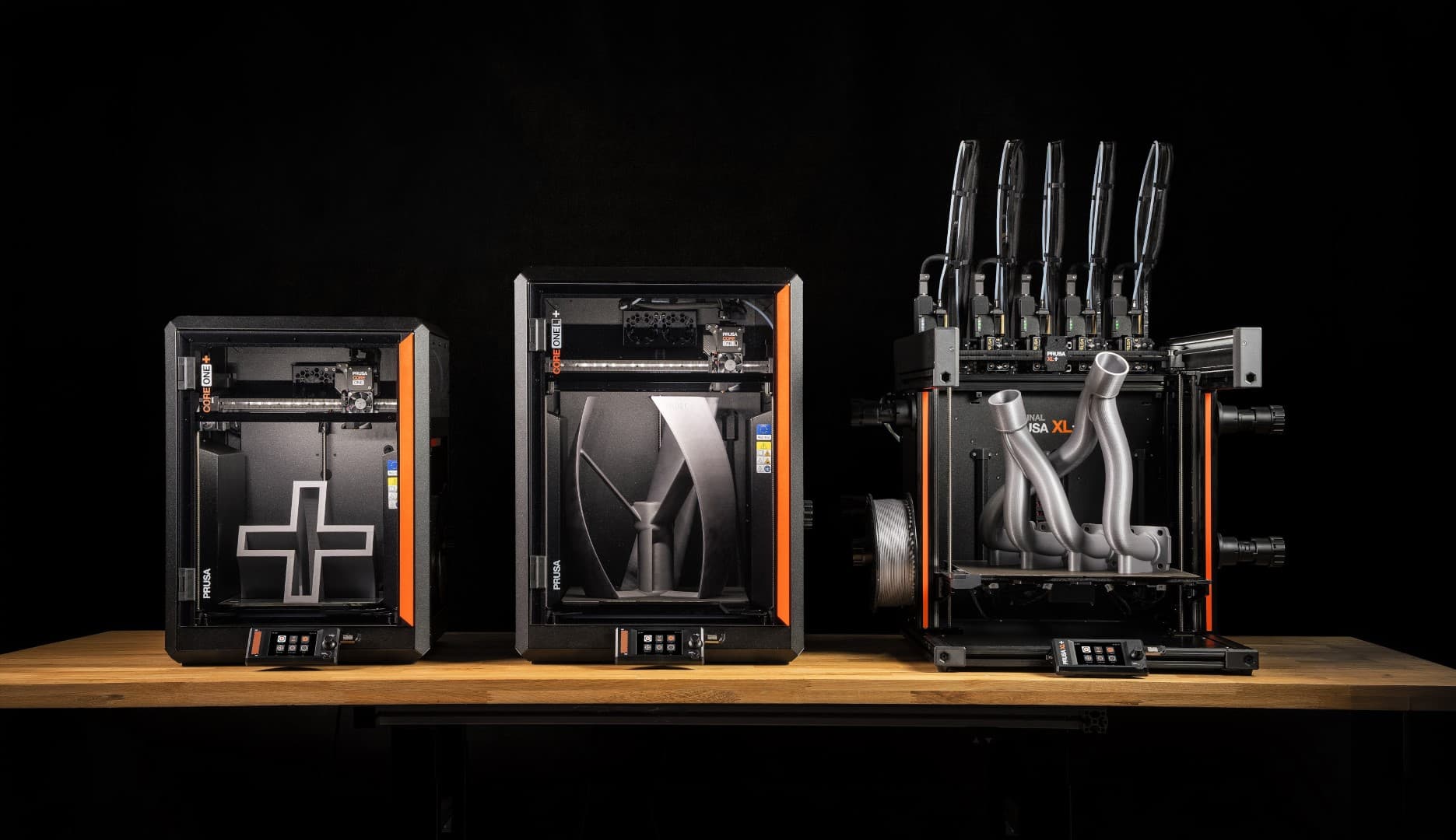
The whole Prusa lineup just got upgraded
Better prints. Easier everyday use.
We focused on the everyday experience, with better-looking prints, faster preparation, easier maintenance, and fewer things you need to take care of yourself.
What’s new with CORE One+ (Gen 2)
The second generation keeps the same CORE One platform and adds several practical improvements: less waiting before a print starts, cleaner starts, smoother-looking surfaces, and easier access for maintenance. Firmware updates also continue to make everyday operation simpler.
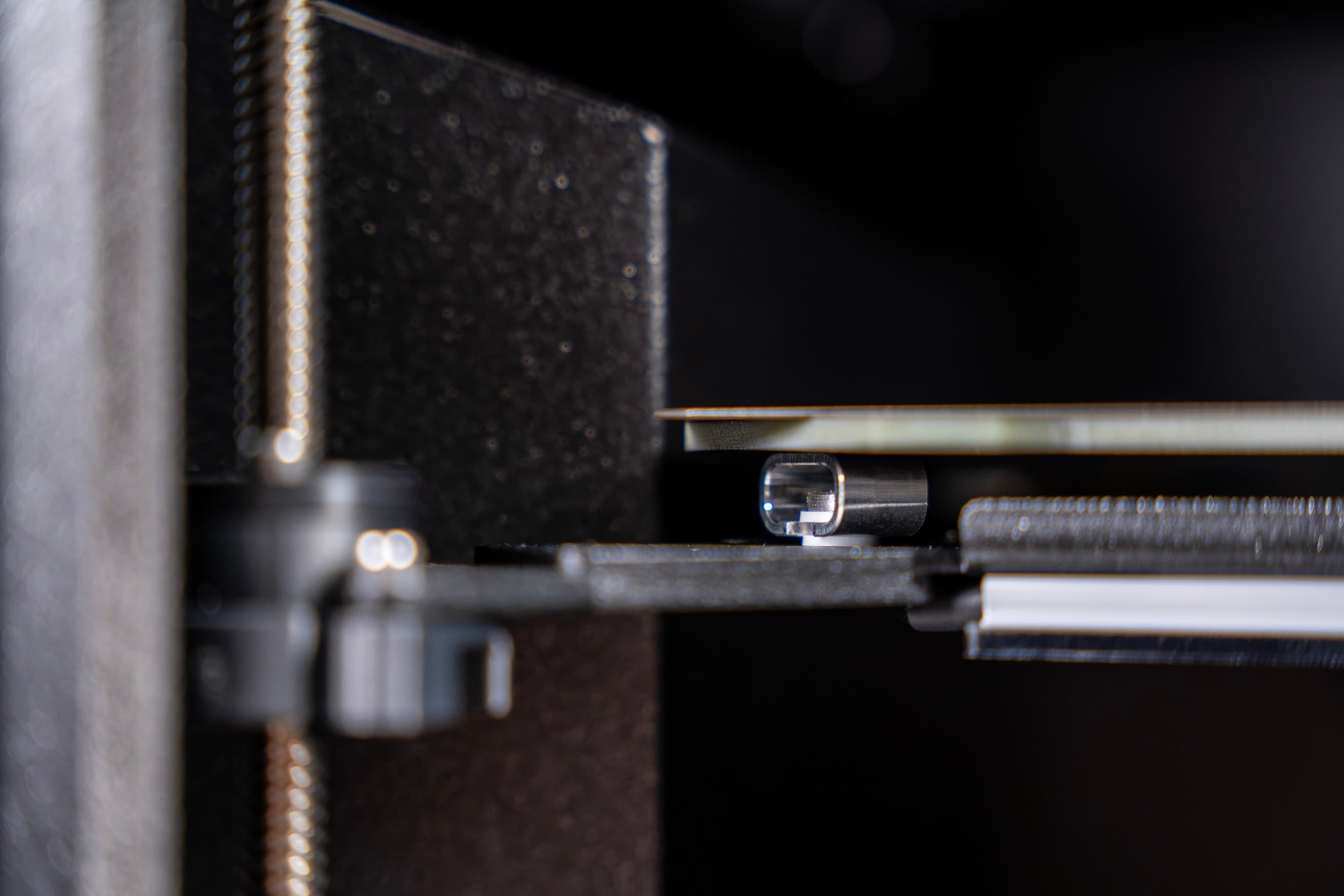
Faster print starts
The redesigned heatbed mounting removes the separate “Absorbing heat” wait for materials using bed temperatures up to 85 °C. Higher-temperature materials benefit from a shorter wait as well.
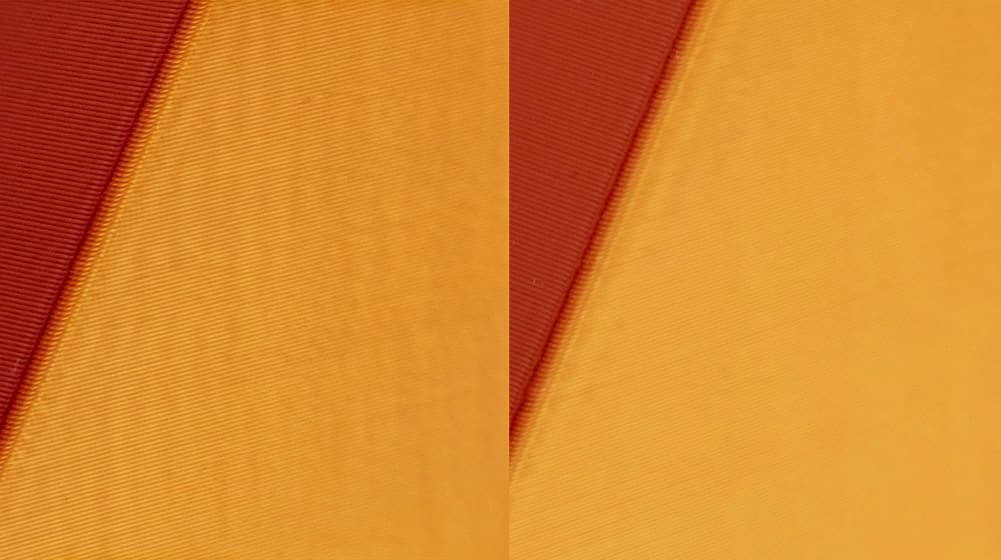
Smoother-looking surfaces
New GT1.5 belts make unwanted repeating patterns finer and harder to notice, especially on large, smooth surfaces where even subtle artifacts can stand out.
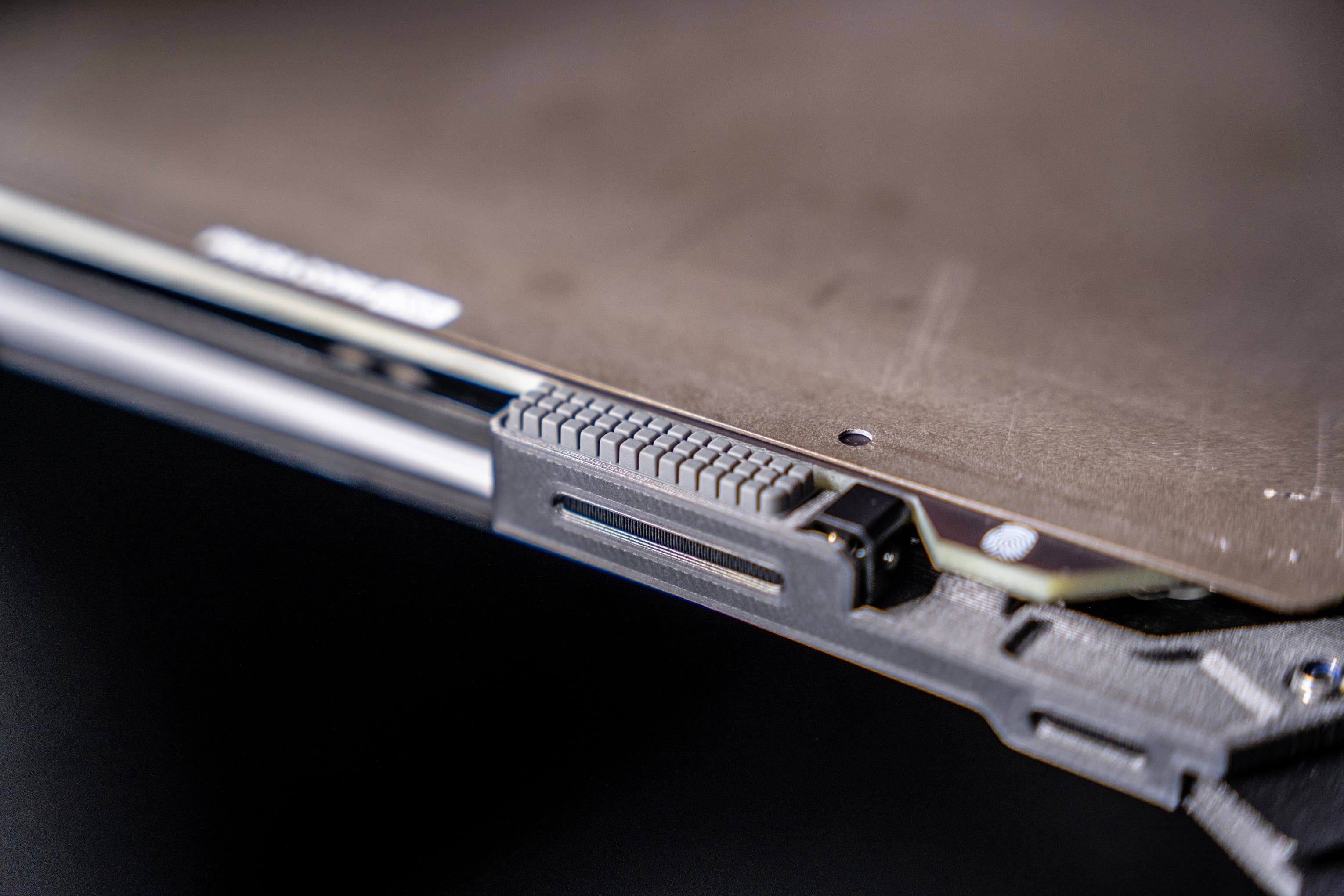
Cleaner print starts
The integrated nozzle wiper cleans filament from the nozzle before printing, helping keep loose strands and small blobs away from the print surface.
CORE One+ in Action
See the enclosed CoreXY at work - from automated calibration to high-speed printing of demanding materials.
Your First Print in Three Steps
You'll have your first 3D print in your hands in no time. No tinkering required.
Hassle-free setup
1. Unbox and set up in 10 Minutes
Attach the display, plug it in and run the one-time automatic calibration. The printer handles leveling and sensor checks on its own. No manual adjustment, no guesswork.
Print-ready files
2. Pick something awesome to print
Browse over a million free models on Printables.com - from phone stands and tools to art and mechanical parts. Use EasyPrint on your phone to prepare the model for printing with few quick taps.
...or stay and watch!
3. Hit Print and Walk Away
Transfer your model into the printer via Wi-Fi, USB, or the Prusa app. Press Start. The printer auto-calibrates, heats up, and handles the rest. It'll notify you when it's done.
What can be 3D-printed?
The CORE One+ is here to surprise you with its infinite usability. Be sure to add a couple of Prusament spools to your order, so you can try different things!

Hobbies, Household & Fun
Creative Projects
PLA is the ultimate "first print" filament. It is easy to use, comes in every color, and is perfect for detailed toys, board game pieces, desk gadgets or kitchen accessories.
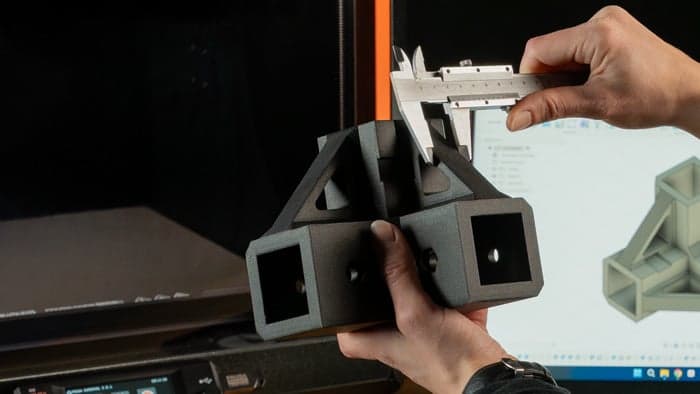
Repairs & Workshop Projects
Replacement Parts
Fix broken appliances with PETG or PCCF. Print RC cars, drones, and mechanical parts.These materials are tough, heat-resistant, and create parts that often outlast the original.
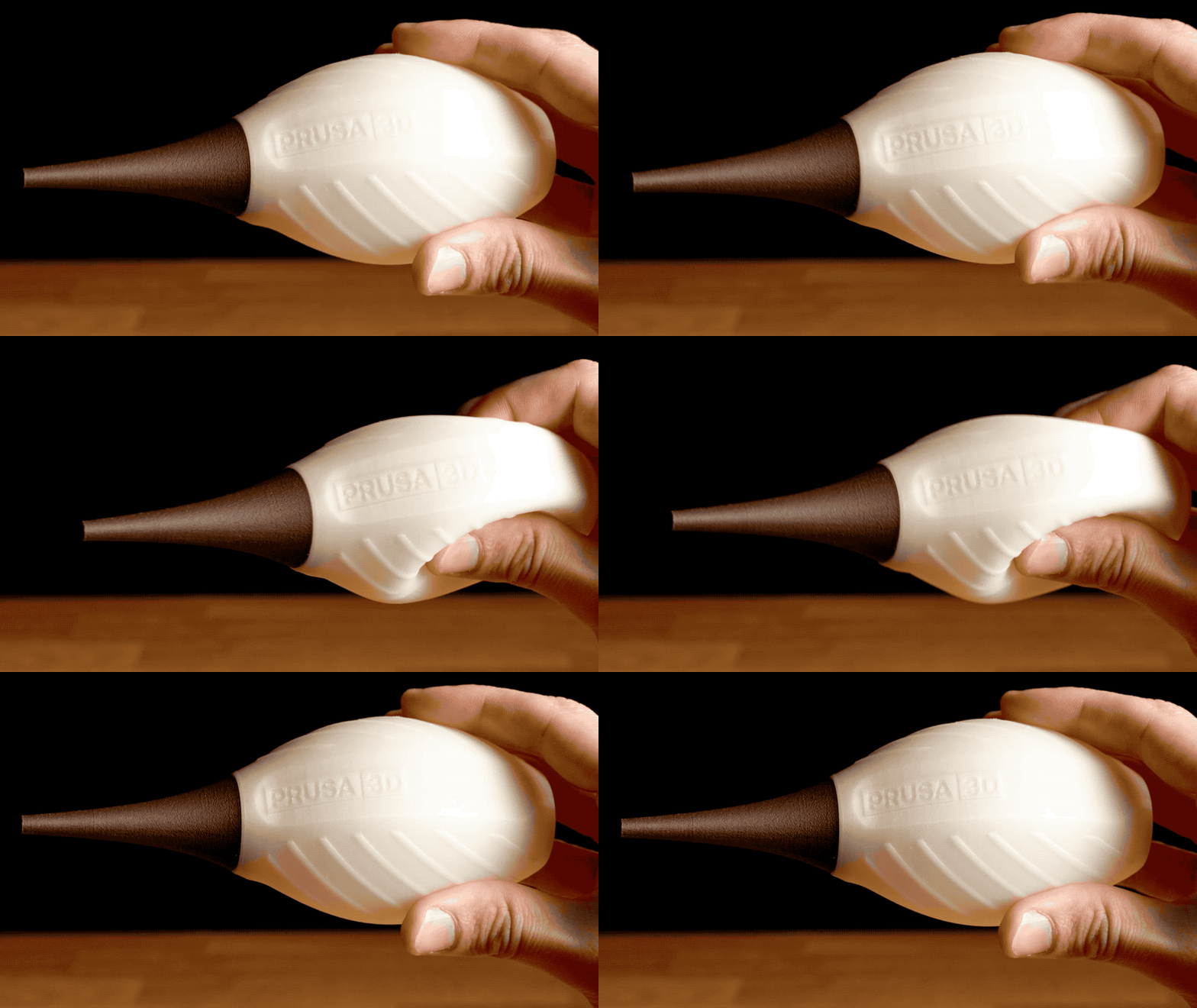
Gadgets & Protection
Impact Absorbers
TPU is a rubber-like material ideal for custom phone cases, GoPro mounts, seals, and protective bumpers. The possibilities are nearly endless!
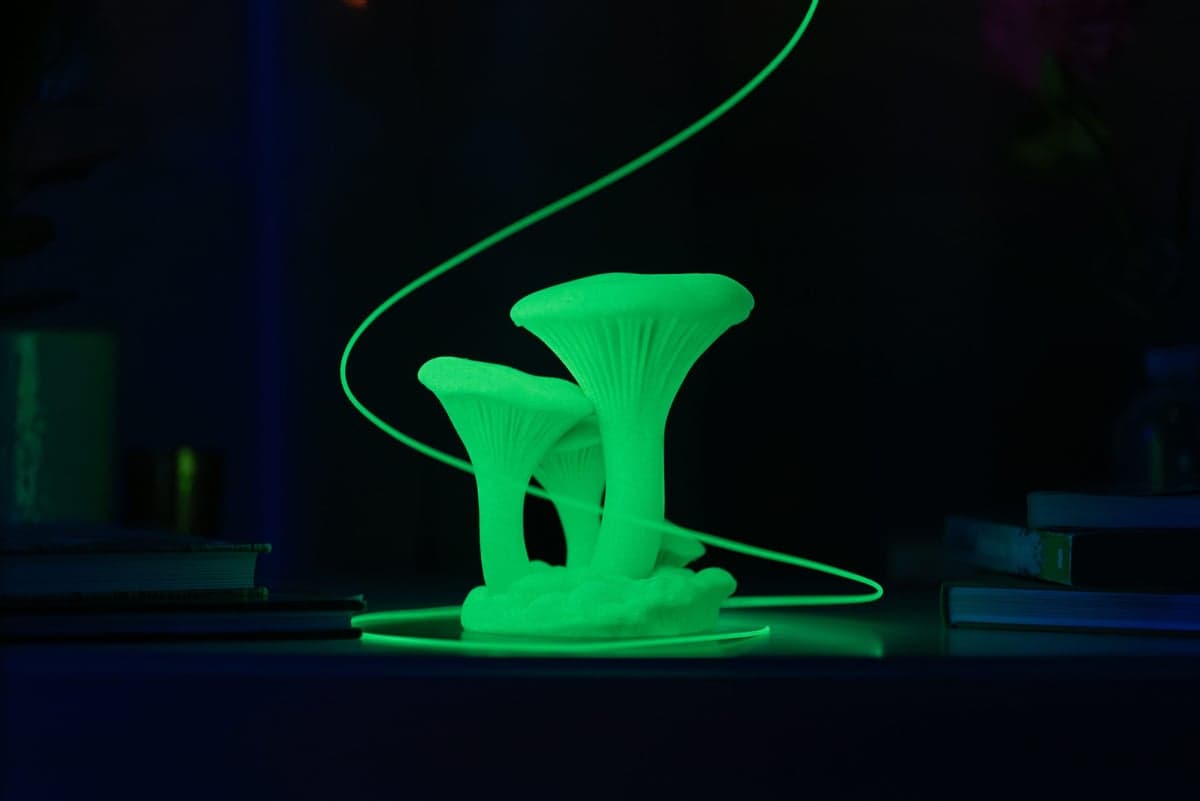
Engineering & Safety
The WOW! factor
You can get all sorts of materials for your CORE One+, including the brightest glow-in-the-dark filament on the market or beautiful Woodfil filaments.

The fastest way from idea to 3D print
Introducing EasyPrint!
People often ask: how difficult it is to begin with 3D printing? With EasyPrint, anyone can start in a few minutes. Prusa EasyPrint app runs in any browser - on your phone, tablet, or laptop. Browse a model on Printables.com, open it in EasyPrint, and send it straight to your CORE One+.
"Prusa literally transformed their classic i3 printer into a Core XY machine with more speed and all the outstanding quality we expect from an industry leader."
"As you might expect, the print quality is absolutely divine! I've tested this across a range of filaments, and the results have been consistently impressive."
"This is just about the best 3D printer you can get right now."

One spool = over 80 different objects!
You can print A LOT with a single spool of filament.
One kilogram of filament prints one kilogram of objects - but that's a bit difficult to imagine. Check out the photo below to see how many things we printed with a single spool of Prusament - it's over 80 different objects!
Eager to learn more about 3D printing?
Starting a 3D print is as simple as pushing a button. But if you're curious and want to explore more of the 3D printing world, we got you covered!

3D Printing Handbook
All our printers come with a free printed handbook covering everything from the basics to advanced workflows. You can even download it as PDF and read it before your printer arrives.

Prusa Academy Courses
Assembled CORE One+ comes with a free Prusa Academy Course "3D Printing and Modelling for Beginners". With our courses, you will become a master of 3D printing overnight!
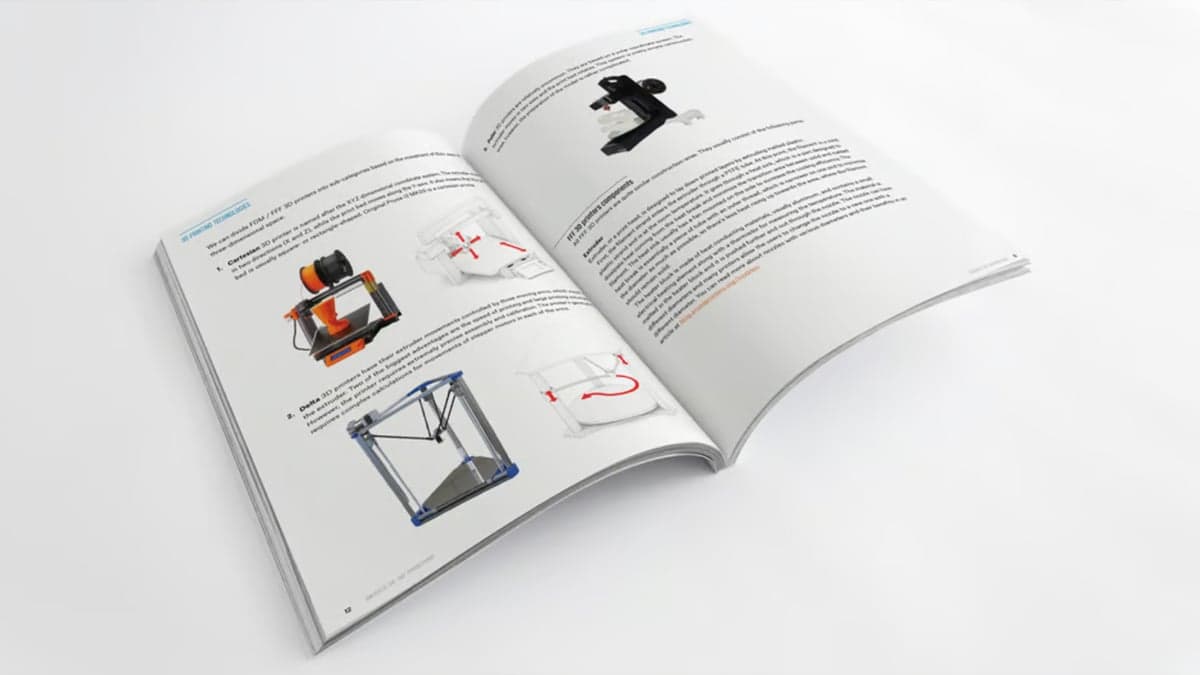
Basics of 3D Printing Ebook
Want to learn more about the amazing world of 3D printing in general? Download our free e-book that explains the technology, inventions, manufacturing methods, materials & more!
Reviews and awards
Uncle Jessy
"This is by far the best Prusa 3D printer experience that I've ever had so far."
The Real Sam Prentice
The print quality is absolutely divine! I've tested this across a range of filaments, and the results have been consistently impressive."
Captain Creativity
When it came to quality, the reigning champion of quality still goes to Prusa, and it’s no different with the CORE One.
3D Printing Doctor
"This machine is extremely fast - 20% faster than the MK4S - thanks to the CoreXY motion, 360° cooling, and the high-flow nozzle. (...) I am excited to continue printing more stuff with this machine."
Awards
Accessories to consider
CORE One+ works perfectly out of the box. Still, you may want to consider these accessories to level up your 3D printing game.
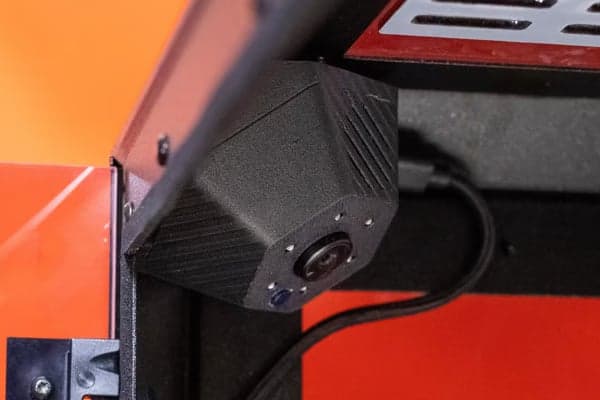
1080p Camera with Night Vision Function
Install an optional 1080p camera for remote print monitoring. The camera connects using a USB-C cable directly into the motherboard and requires an active Wi-Fi connection to function.
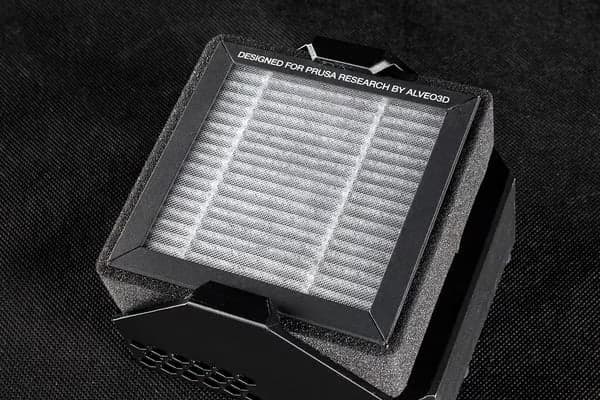
Advanced Filtration System
The optional Advanced Filtration System is useful when you print materials such as ASA and other materials that produce an increased number of ultra-fine particles and fumes during printing.
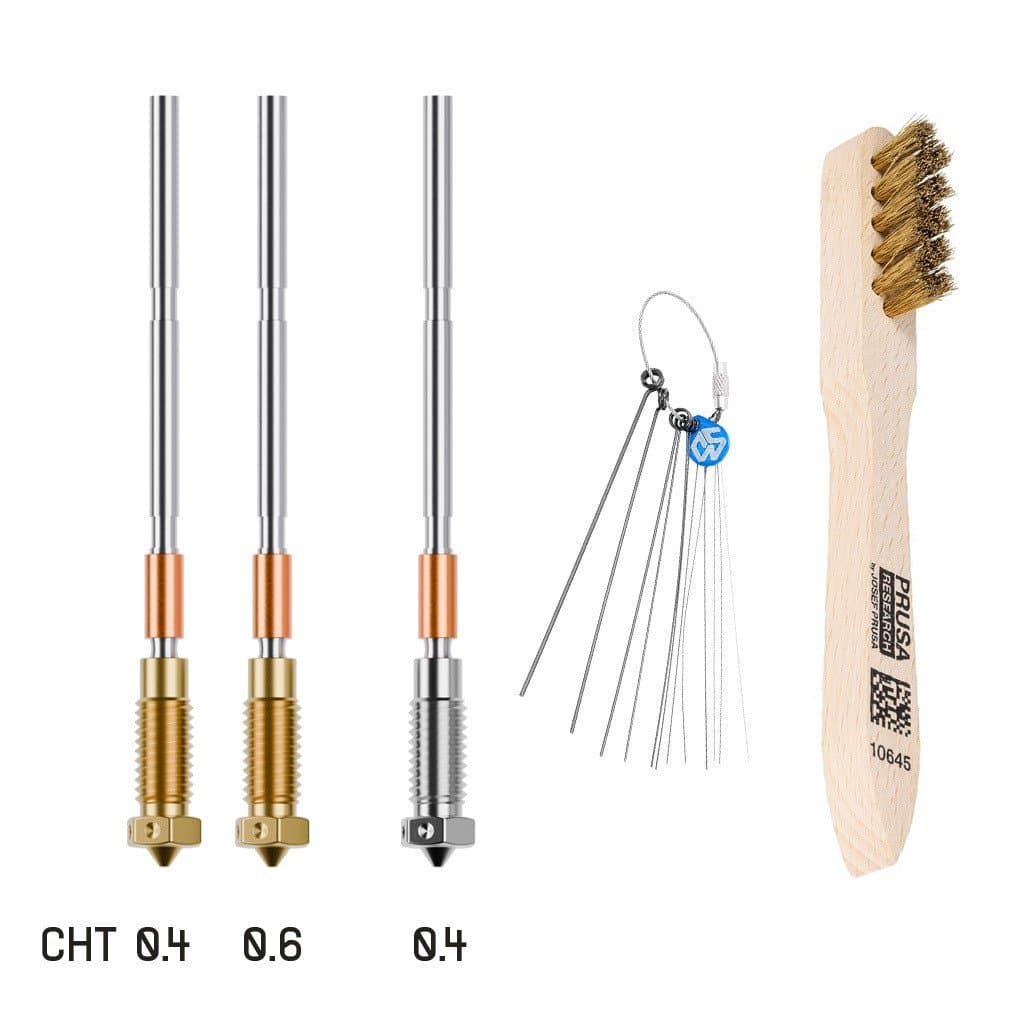
Additional nozzles, print sheets and filaments
Depending on what you want to print, you might consider adding a hardened nozzle (for abrasive engineering materials) or smaller nozzles for printing detailed models.
Six engineering choices that set the CORE One+ apart.
CoreXY uses two fixed motors in the corners that pull on a long, continuous loop of belts to move a tool head. Because the heavy motors are fixed in place, the gantry is incredibly light, allowing for blazing fast speeds and outstanding precision.
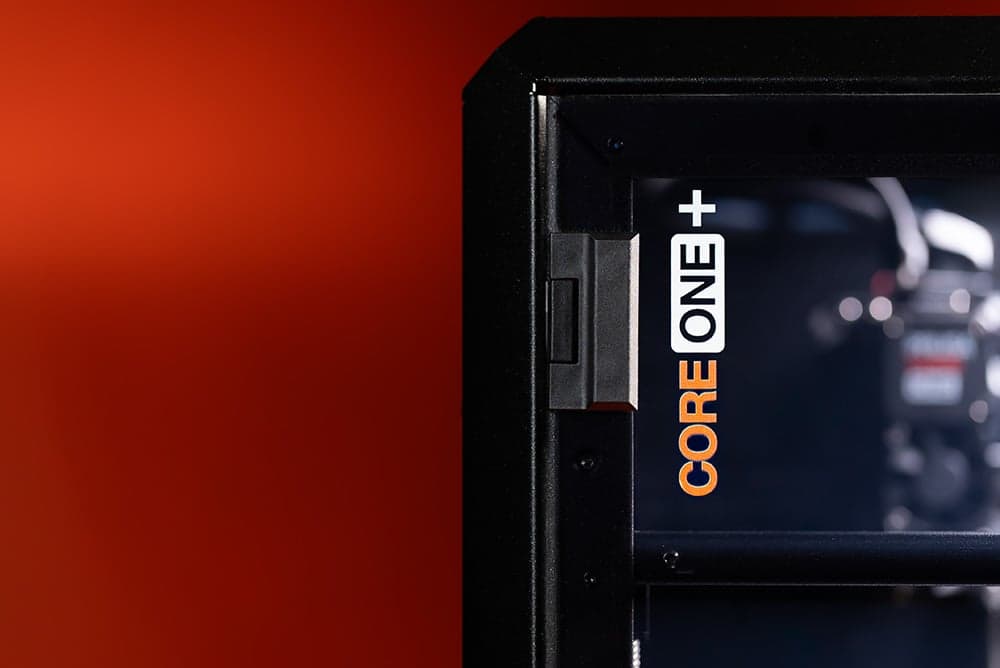
Fully Enclosed CoreXY Architecture
The advanced CoreXY motion system moves the lightweight printing head instead of the heavy base, allowing for much higher speeds without losing quality. Input Shaper firmware compensates for vibration at high speeds.
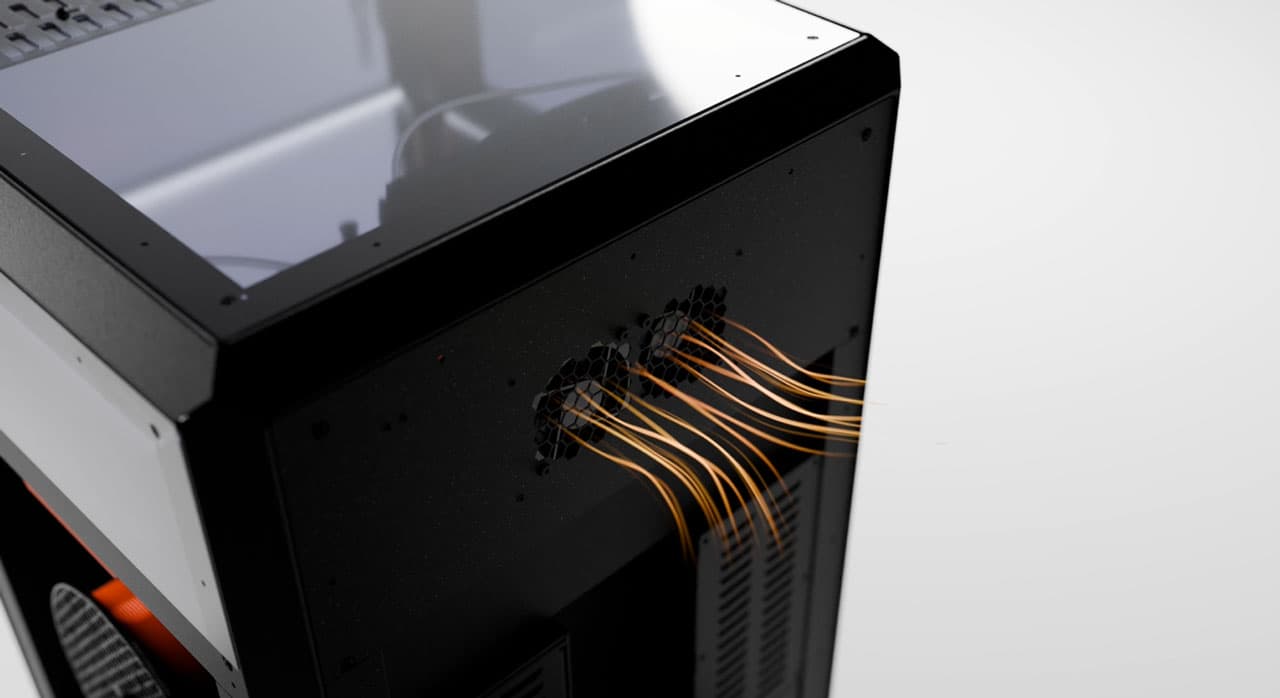
Active Chamber with Smart Ventilation
The printer's enclosed chamber heats up to 55 °C. The system monitors temperatures at all times and adjusts automatically to create the best environment for any material you choose. Optional HEPA filtration integrates directly into the enclosure for offices and schools.
Nextruder: Precision at Every Layer
Nextruder is our next-gen print head featuring a precise Load Cell sensor that measures force at the nozzle tip - the nozzle itself becomes the probe. Because it is physical, it cannot be confused like optical sensors. Plus, 360-degree cooling means steep overhangs print cleanly without supports and nozzles (0.25 mm to 0.8 mm) are swappable in seconds without tools.
Robust Steel Exoskeleton
All-steel exoskeleton - the enclosure is structural, not an accessory. Exceptional rigidity at high speeds. Nothing is glued. Everything comes apart with a screwdriver. Designed for modders and tinkerers - replacement parts stocked for years.

Compact Footprint, Large Volume
50% less desk space than an MK4S inside an enclosure, yet 30% more print volume (250 × 220 × 270 mm). That efficiency matters whether you're fitting one printer on a desk or 600 into a print farm - which is exactly what Prusa Research does at their own facility.

Open-Source Hardware & Firmware
CAD files are published. Firmware source code is on GitHub. You can inspect, modify, or compile your own version. No locked bootloaders, no cloud dependency. We've been shipping open-source printers since 2012.
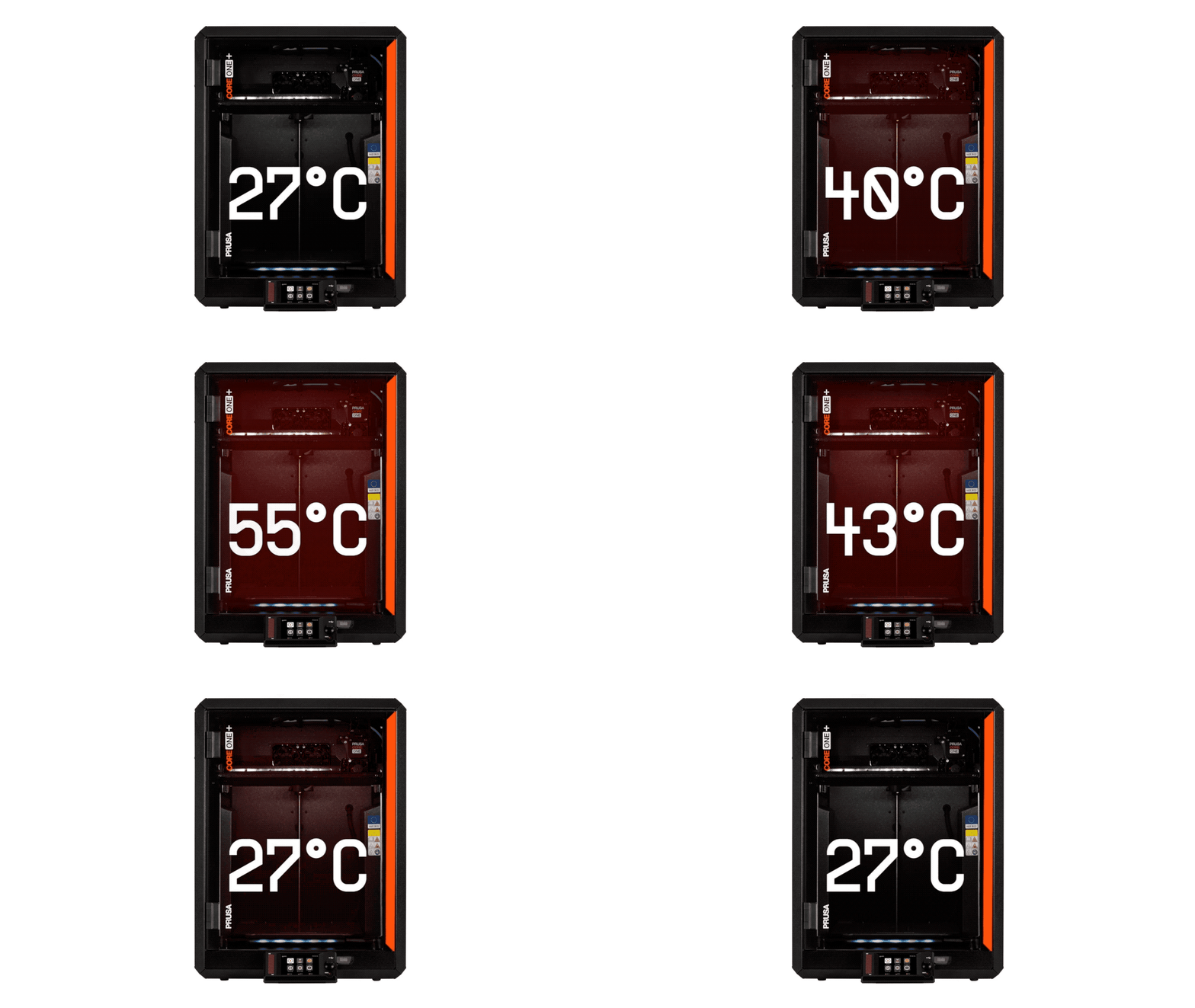
The key to successful prints
Active Chamber Temperature Control
Engineering materials warp when they cool unevenly - corners lift, layers separate, prints fail. CORE One+ prevents this with a compact chamber that hits up to 55 °C, creating a stable environment. And the best thing? While other printers need you to open the door for printing low-temp materials (like PLA), you can keep the CORE One+ door closed thanks to smart chamber ventilation.
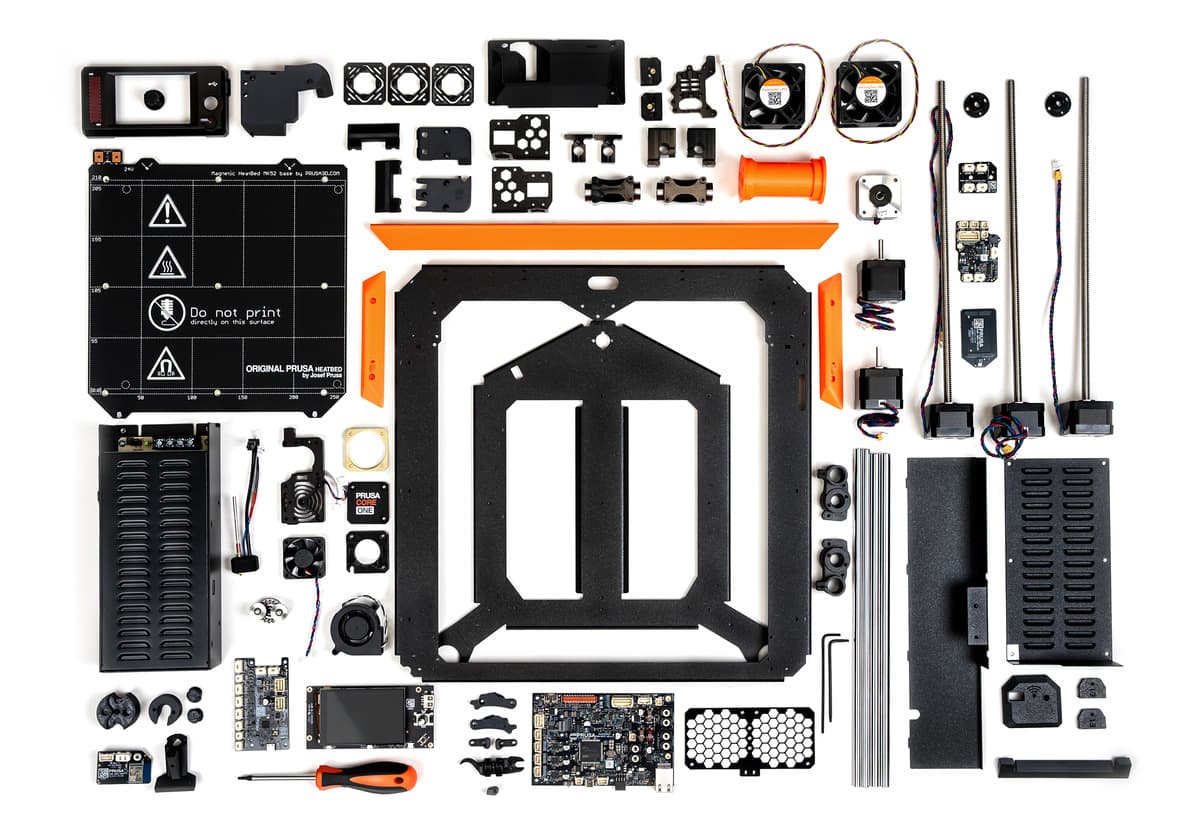
Prusa CORE One+ (Gen 2) Assembly kit
The best way to get to know your 3D printer
With Prusa printers, you get the unique opportunity and enjoy one of the most exciting projects imaginable - building your own CORE One+! We have a long history of offering 3D printer kits and we perfected the process over the years. You'll get a complete package with a detailed guide (think LEGO Technic) and in the end, you will have exactly the same machine as in the pre-assembled package, but with the added bonus of knowing it inside out.
Your Printer, Your Rules
Experience a printing platform designed with transparency, repairability, and your creative freedom in mind. You own your 3D printer, not just a license to use it.
Any Filament, Any Brand
CORE One+ works with any standard 1.75 mm filament. Use Prusament for tested quality or pick your favorite brand. PrusaSlicer includes over 200 ready-made profiles, and you can always create your own for new materials.
Connection is Optional
Print via USB drive or your local network - no internet connection required. Optional Prusa Connect adds remote monitoring and print farm management. You don't have to connect the printer to the internet; not even once.
Open-Source Files
The firmware source code is on GitHub and CAD files are published at Printables.com. You can inspect, modify, or build your own version. Tinkering is optional, but if you want to mod your printer, you have all the resources.
Free Software, No Tiers
PrusaSlicer, EasyPrint, Prusa Connect, the Prusa App, and every firmware update - included with the printer and free. No forced ads, no hidden subscription tiers.
Right to Repair
Upgradability
Whenever it's even remotely possible, we offer our customers a clear and transparent upgrade path. When an improved model comes out, you can usually upgrade the printer you have at home.
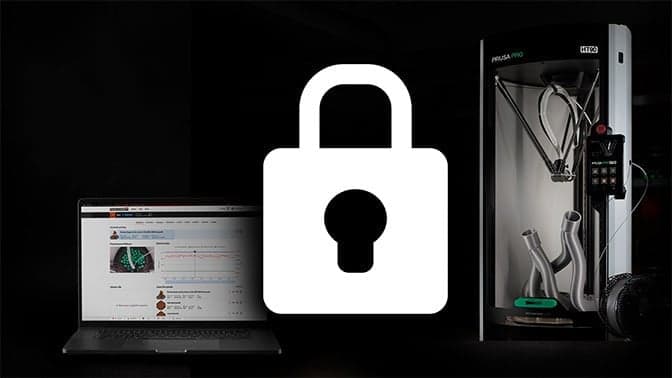
100% Privacy: Offline Mode without Compromise
You don’t have to connect the printer to the network - not even once, and you can still enjoy the full experience without any drawbacks. The printer can be configured and operated offline, including slicing and installation of firmware updates. The Wi-Fi module can be easily unplugged for environments with the highest level of security. We believe that no matter whether you’re developing a new-generation space shuttle, or just printing toys for your kids, no organization should be interested in gathering information about your prints or your printer’s surroundings.

What's New in the CORE One+
- Automatic Top Vent Operation
- The printer now automatically opens the vent for low-temperature materials (PLA, PETG) and closes it for high-temp materials in a true set-and-forget fashion.
- Easy Flex Loading
- A redesigned filament insertion point makes feeding flexible filaments like TPU quick and simple. No more fighting with soft materials at the entry point.
- New Bayonet-Style Spoolholder
- Accommodates various spool sizes and is ready for a direct-feed drybox setup. Swap spools faster, use any brand without adapters.
- All Firmware Updates
- Every software improvement developed throughout the CORE One lifespan is included - better print profiles, smoother motion, improved sensors. Most refined version from day one.
There is a real risk that data on prints, design models, or production processes could be transmitted to servers beyond the user’s control, including to the territory of the PRC.
National Cyber and Information Security Agency, 2025
Get the CORE One+ Now, Upgrade It as You Go
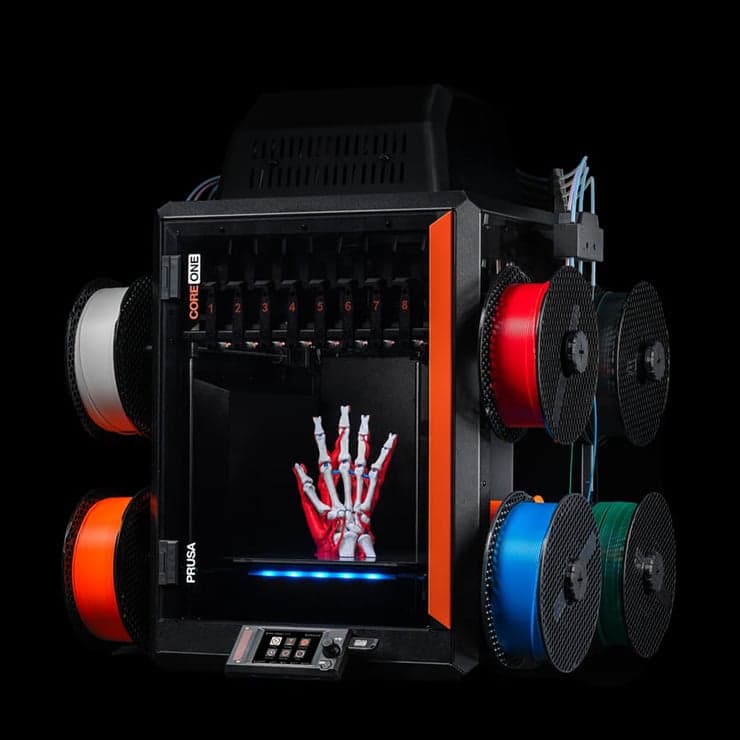
INDX Multi-Material Toolchanger: 8 Materials in One Print (Coming Soon)
Print with 8 colors or materials simultaneously, swapping between materials with virtually zero waste. Print multi-material functional parts, soluble supports, or combine rigid and flexible materials.
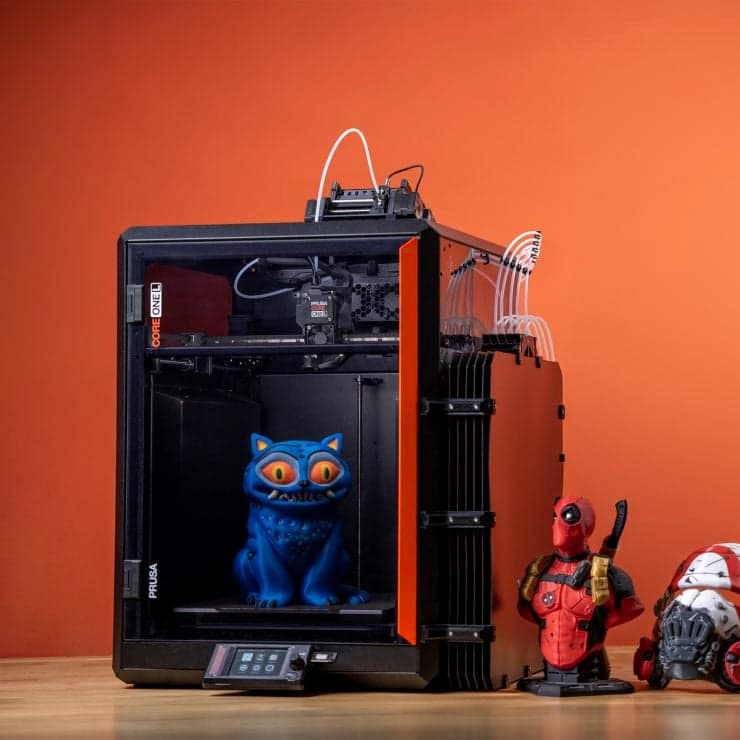
MMU3: Multi-Color Printing (Available Now)
Combine up to five colors in one print. You can create beautiful, colorful models with minimal waste. Thanks to the recent firmware update, the MMU3 is easily one of the fastest solutions on the market!

HT Hotend: Up to 400 °C (Coming Soon)
Pushes nozzle temperature up to 400 °C, unlocking PEKK-CF, PPS-CF, PSU, PPA, and PPA-CF. Quick-swap installation under three minutes. Up to 30% stronger parts from existing filaments like ASA or PCCF.
Everything Under One Roof
Free software, remote management, community models, and top-quality filament - all designed to work together.
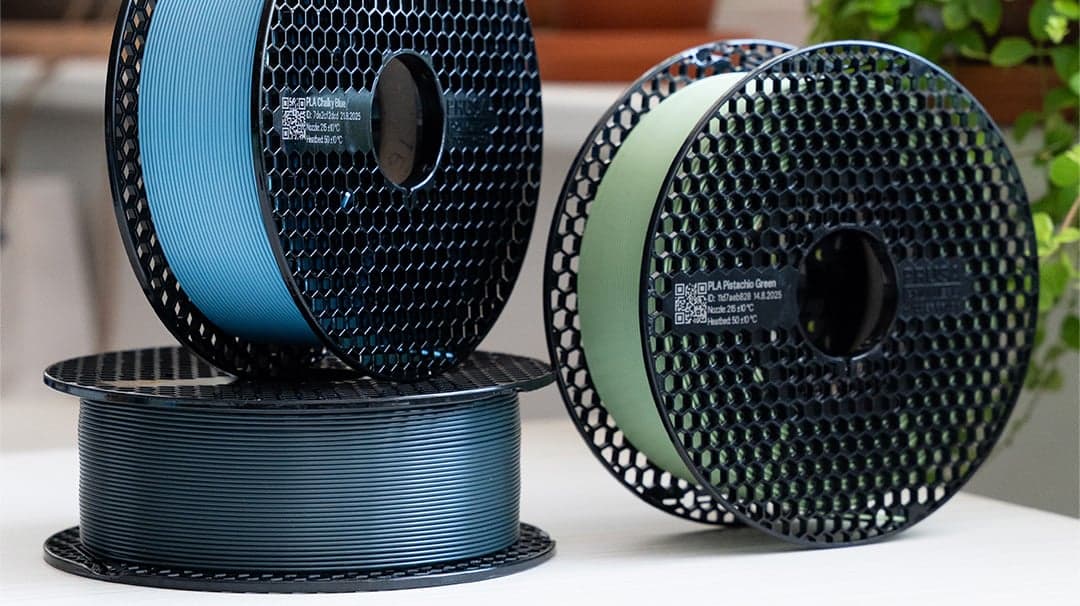
Prusament
Prusa's own filament with ±0.02 mm diameter tolerance. Every spool quality-tested with in-house profiles in PrusaSlicer.
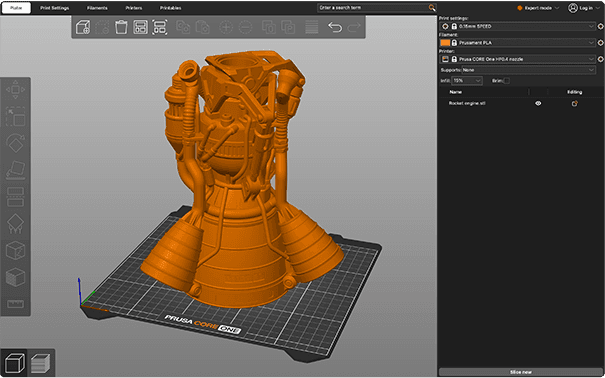
PrusaSlicer
Open-source slicer with 200+ factory-tuned profiles for CORE One+. Organic supports, variable layer height, paint-on seam placement.
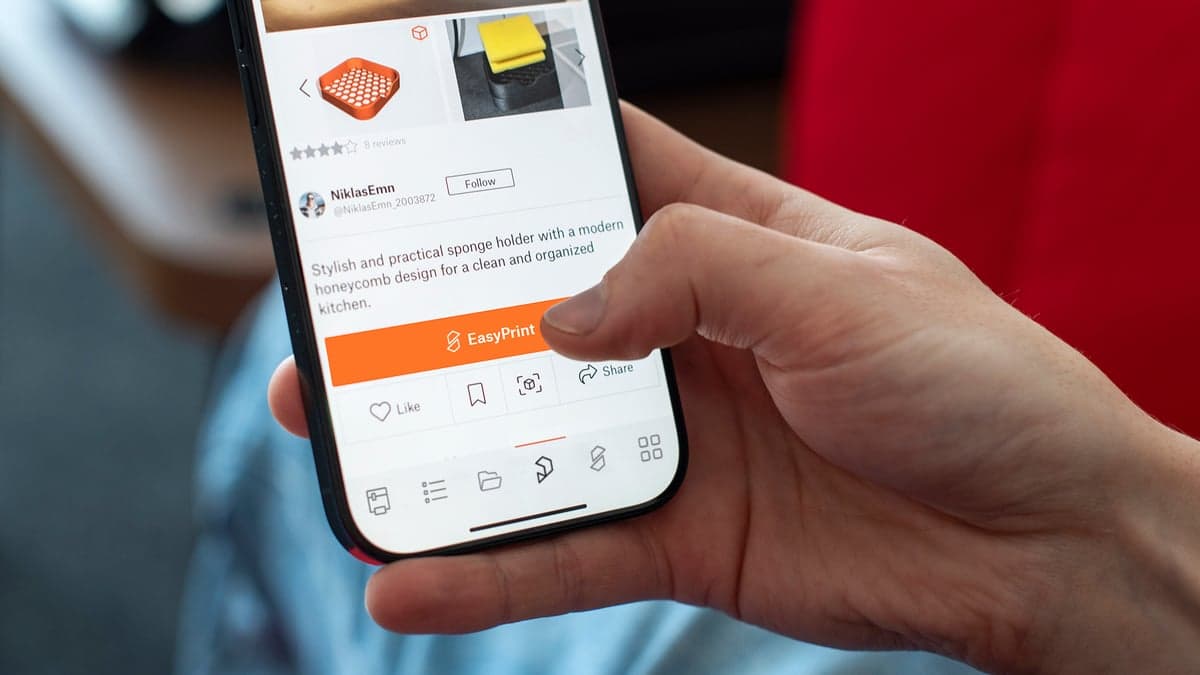
EasyPrint
Web-based tool that makes slicing seamless - phone, tablet, or browser. Send prints directly to your CORE One+.
View product →
Prusa Connect
Monitor prints, manage multiple printers, and start jobs from any browser. Free for all Prusa printers. Add the optional camera for live video.

Prusa App
Complete printer overview wherever you are. Full Printables integration: send print files directly to your printer. iOS and Android.
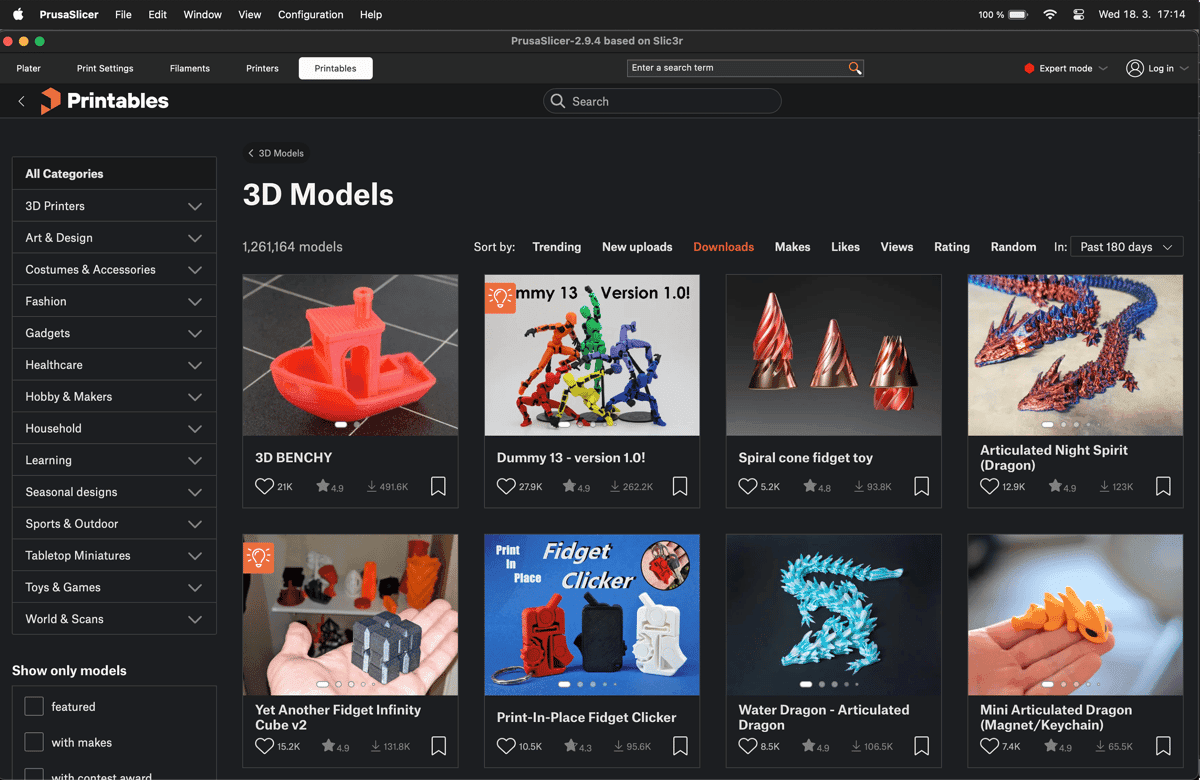
Printables.com
Community-rated 3D models ready to download, slice, and print. Official accessories from popular brands.
View product →
Supported filaments
Every material has factory-tuned settings in PrusaSlicer. Load the filament, pick the profile, print. Below is just a small taste of what your new printer can do.
Most popular
PLA
The go-to for prototypes, models, and everyday objects. Auto-ventilation keeps the chamber cool. The most forgiving material to start with.
- Nozzle
- 210–220 °C
- Bed
- 50–60 °C
Ductile
PETG
Stronger and more flexible than PLA. Excellent for functional parts, mechanical components, and anything that needs impact resistance.
- Nozzle
- 230–250 °C
- Bed
- 70–90 °C
Heat resistant
ASA and ABS
UV and weather resistant - the material for outdoor applications where ABS would degrade. The enclosed chamber prevents warping and fume exposure.
- Nozzle
- 250–265 °C
- Bed
- 100–110 °C
Top strength
PC / PCCF and More
The strongest printable thermoplastics. Exceptional heat resistance and impact strength. Requires elevated chamber temperatures - this is where CORE One+ excels.
- Nozzle
- 270–285 °C
- Bed
- 80–120 °C
Tough
PA (Nylon)
Outstanding mechanical properties for gears, hinges, and load-bearing parts. Moisture-sensitive - store in a dry box. The heated chamber prevents warping.
- Nozzle
- 260–280 °C
- Bed
- 80–90 °C
Flexible
TPU (Flexible)
Flexible and durable for phone cases, gaskets, and vibration dampeners. The redesigned CORE One+ filament sensor guides flexible materials smoothly.
- Nozzle
- 220–240 °C
- Bed
- 50–60 °C
What's included
Everything in a single box.
| Feature | Assembled Printer | Kit |
|---|---|---|
| Printer | Fully assembled machine | 3D printer kit (build it yourself) |
| Filament | 1kg of Prusament PLA | 2x 25g Prusament Samples |
| Print Surface (Print Sheet) | Included, Smooth PEI Print Sheet | Included, Smooth PEI Print Sheet |
| Documentation | 3D Printing Handbook | 3D Printing Handbook |
| Storage | USB Drive with sample prints | USB Drive with sample prints |
| Maintenance items | Alcohol-saturated wipes, acupuncture needle (for nozzle cleaning) | Alcohol-saturated wipes, acupuncture needle (for nozzle cleaning) |
| Assembly Tools | Included | Toolset: Uni-wrench, 13-16 wrench, nose pliers, Allen and Torx keys |
| Lubrication | Not included (Parts are pre-lubricated) | Prusa lubricant for bearings |
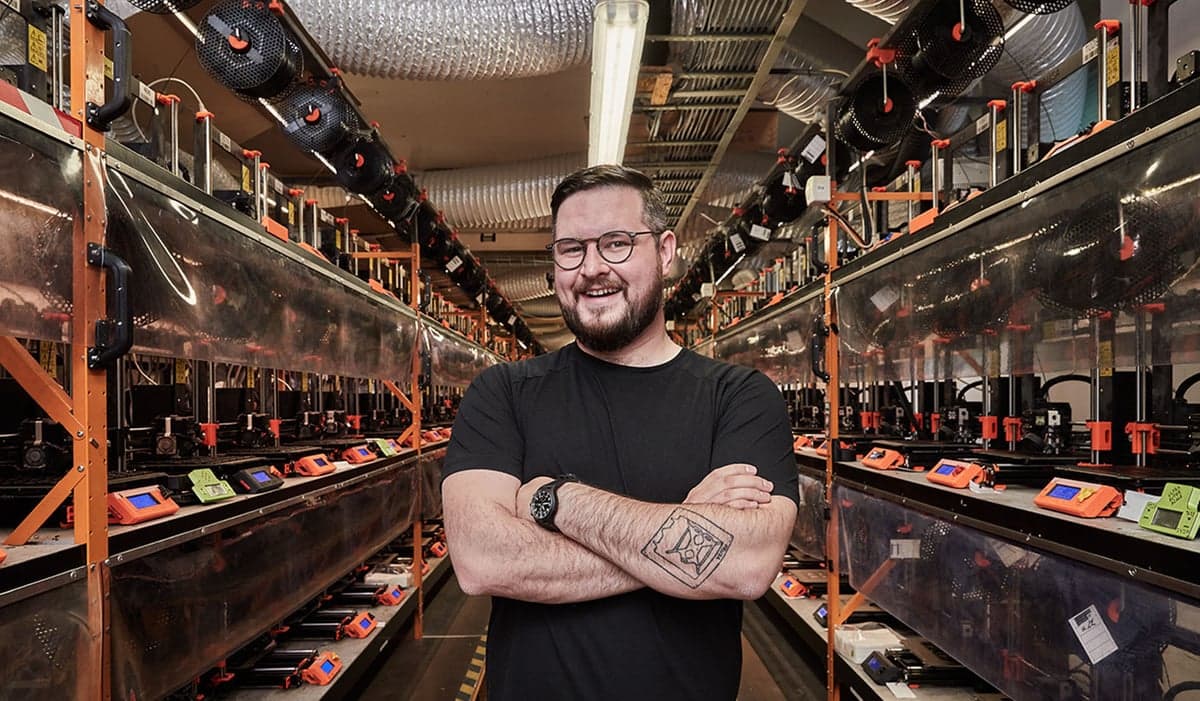
Making 3D printers since 2012
From the heart of Europe to the entire world
Prusa Research is a 3D printer manufacturer based in Central Europe - in Prague, Czech Republic. It is now a team of over 1,000 people with a brand new factory opened in Delaware, USA. But it started as a one-man project. In 2010, Josef Průša designed an open-source printer that hobbyists could actually afford. It caught on. Years later, the company is still in Prague, still independently owned, and still making printers the same way - designed in-house, built to last, and shared openly with the community that helped build them. A lot has changed in 3D printing. Not everything needs to.
Common Questions
I've never printed before. Is this printer too advanced for me?
Not at all - it's actually one of the easiest ways to start. The assembled CORE One+ does automatic calibration, so there's no leveling or tuning. PrusaSlicer has default profiles that work perfectly for most models: just open a file and click print. Over a million free designs on Printables.com mean you don't need to know 3D modeling. And if you ever get stuck, our support team is available 24/7 via live chat. Many of our happiest customers started with zero experience.
Is CORE One+ good for beginners?
Yes. Despite being a fully-featured 3D printer, CORE One+ is designed for simplicity. Automatic bed leveling, factory-tuned print profiles, and a 10-minute setup mean you can go from unboxing to printing without prior experience. The printer handles the complexity - you just choose what to print. If you're brand new to 3D printing, the assembled version is the easiest start.
Do I need any other software or tools?
No. PrusaSlicer is free and you can download it from our website. It comes with 200+ print profiles (pre-made settings). A standard computer (Windows, macOS, or Linux) is all you need to prepare print files. Or you can use the Prusa app and do everything from your smartphone. The printer connects via Wi-Fi, Ethernet, or USB. No subscriptions, no recurring costs.
Should I buy the kit or assembled?
Both deliver the identical printer with the same warranty and performance. The kit is usually a full weekend project and teaches you every part of the machine - useful if you enjoy building things and want to understand your printer inside out. The assembled version is factory-calibrated and prints within 10 minutes of unboxing/installation. Neither is better; it depends on what you enjoy.
What materials need the enclosure?
ABS, ASA, polycarbonate (PC), and nylon (PA) all benefit significantly from an enclosed, heated chamber. These materials shrink as they cool, and uneven cooling causes warping. The active chamber keeps temperatures consistent, preventing failures. PLA and PETG don't need an enclosure but print fine inside one thanks to automatic ventilation.
What are the differences between the CORE One+ and CORE One+ (Gen 2)
The CORE One+ (Gen 2) refines the same proven platform with new GT1.5 belts for smoother-looking surfaces, an integrated nozzle wiper for cleaner starts, redesigned heatbed mounting that significantly shortens print preparation, and a snap-on top panel for easier maintenance. It also benefits from our latest firmware improvements focused on making everyday printing simpler and more automatic.
Is the firmware really open-source?
Yes, fully. The firmware source code is published on GitHub under an open license. The CAD files for the mechanical design are also published. You can modify, compile, and flash your own firmware builds. We've been doing this since our very first printer in 2012 - open source is part of how Prusa works.
Can I add multi-material later?
Yes - that's by design. MMU3 (Multi Material Upgrade 3) adds 5-filament printing and is compatible now. INDX, an 8-tool passive toolchanger built specifically for CORE One+, is on the way. You don't need to plan for these upgrades today, but the printer is ready for them when you are. Buy what you need now, expand later.
Why is Prusa more expensive than some other 3D printers?
Fair question. With CORE One+ you get open-source firmware, free software with no subscriptions, spare parts stocked for years, and 24/7 support from our team members - 3D printing enthusiasts themselves. The printer is built to be repaired with a screwdriver. Everything is included in the price: no recurring fees, no premium tiers. We have developed and manufactured our 3D printers in the heart of Europe since 2012, and we have recently expanded our operation to Delaware, USA. Every time a new model came out, we offered clear and transparent upgrade paths - something you don't see anywhere else in consumer hardware.
CORE One+ vs MK4S vs CORE One L
All three share the same Prusa ecosystem, firmware, and slicer. The differences are in size, enclosure, and target use case.
| Feature | CORE ONE+(GEN 2) | MK4S | CORE One L |
|---|---|---|---|
| Build volume | 250 × 220 × 270 mm | 250 × 210 × 220 mm | 300 × 300 × 330 mm |
| Kinematics | CoreXY | Cartesian | CoreXY |
| Enclosed chamber | Yes | No (optional add-on) | Yes |
| Active chamber heating | Yes (up to 55 °C) | No | Yes (up to 60 °C) |
| Max nozzle temperature | 290 °C (400 °C w/ HT) | 290 °C | 290 °C (400 °C w/ HT) |
| Input Shaper | Yes | Yes | Yes |
| PhaseStepping | Yes | No | Yes |
| INDX compatible | Yes | No | Yes |
| MMU3 compatible | Yes | Yes | No |
| Connectivity | Wi-Fi, Ethernet, USB | Wi-Fi, Ethernet, USB | Wi-Fi, Ethernet, USB |
| HEPA filtration | Optional add-on | Optional (w/ enclosure) | Optional add-on |
The details that matter
Technical specifications
Manufacturer figures, with plain-English notes where useful.
18 specifications
Printing
- Printing technology
- FDM
- Diameter
- 1.75 mm
- Layer height
- 0.05–0.30 mm
- Build volume
- 250 × 220 × 270 mmUsable print area (X × Y × Z).
- Nozzle
- 0.4 mm high-flow brass CHT
- Extruder
- Nextruder direct drive
- Multicolour
- Single material as supplied. MMU3 or INDX upgrade sold separately.
- First layer calibration
- Automatic, load-cell sensor
Materials & environment
- Enclosure
- Enclosed / enclosure included
- Filtration
- Optional HEPA filtration upgrade
- Chamber temperature
- up to 55 °C
- Materials
- PLA, PETG, Flex, PVA, PC, PP, CPE, PVB
- Maximum bed temperature
- 120 °C
- Maximum nozzle temperature
- 290 °C
- Advanced materials
- ABS, ASA, HIPS and PA require suitable filtration and material-specific setup.
Machine & package
- Printer dimensions
- 415 × 444 × 555 mm
- Weight
- 22.5 kg
Controls & connectivity
- Connectivity
- Ethernet, Wi-Fi
A question before you order?
Ask about compatibility, the right configuration, or delivery for this product.
Explore more from Fabinity
Browse the range- In stock
 Out of stock
Prusa Research
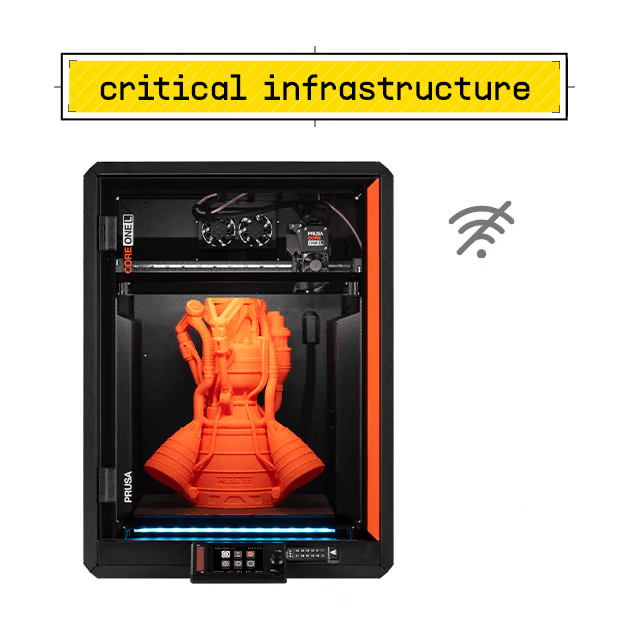
Prusa CORE One L+ Critical Infrastructure Edition
300 × 300 × 330 mm3 options available
From £2,859 inc. VAT
 In stock
Prusa Research
Original Prusa SL1S SPEED 3D Printer
127 × 80 × 150 mm3 options available
From £1,959 inc. VAT
 Out of stock
Prusa Research
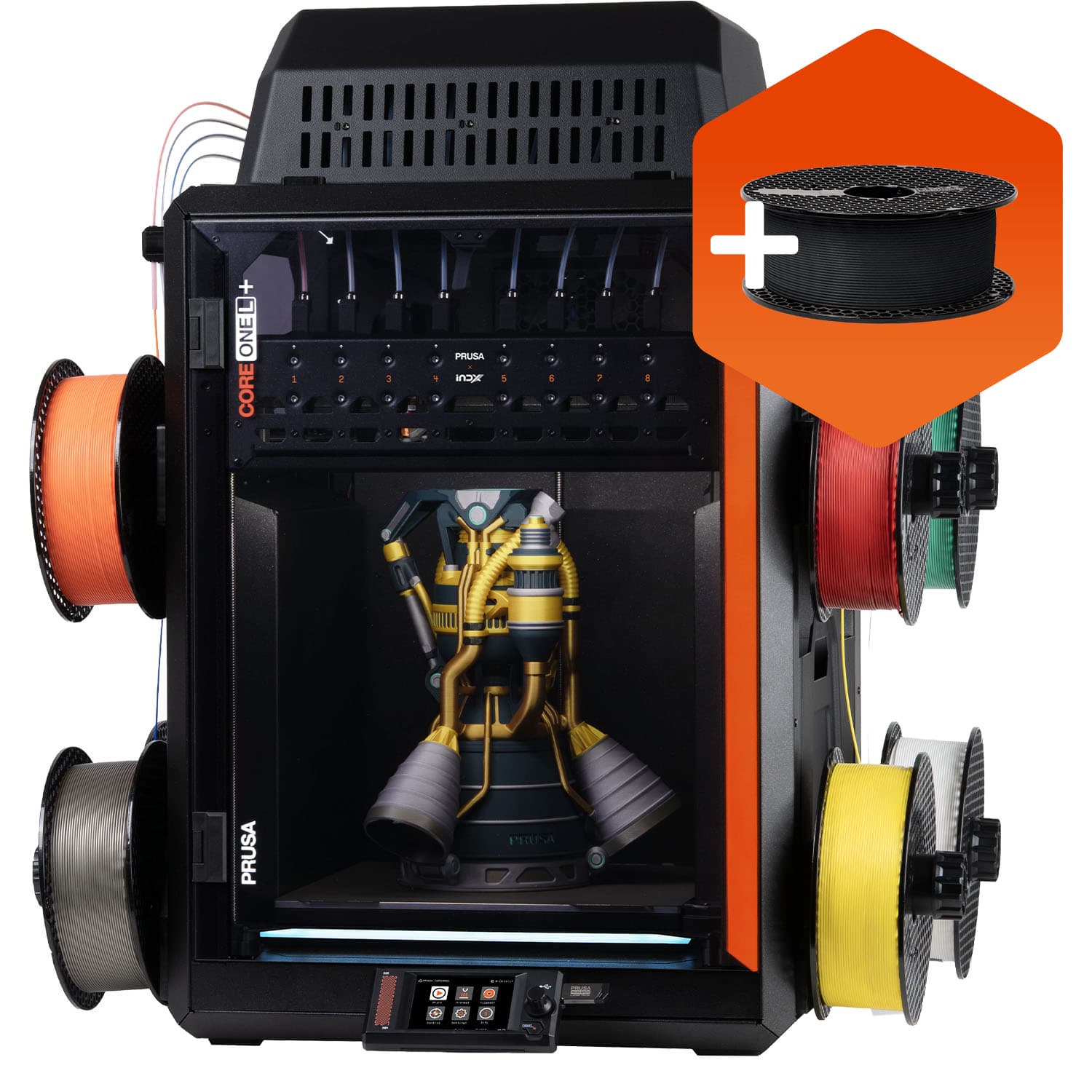
Prusa CORE One L+ INDX 8-Tool
298 × 275 × 330 mm2 options available
From £2,709 inc. VAT